Save private Telegram videos—only when you already have access
Respect private channels and groups while keeping needed videos offline. TG Media Organizer lists only what you can view and requires manual confirmation for every download.
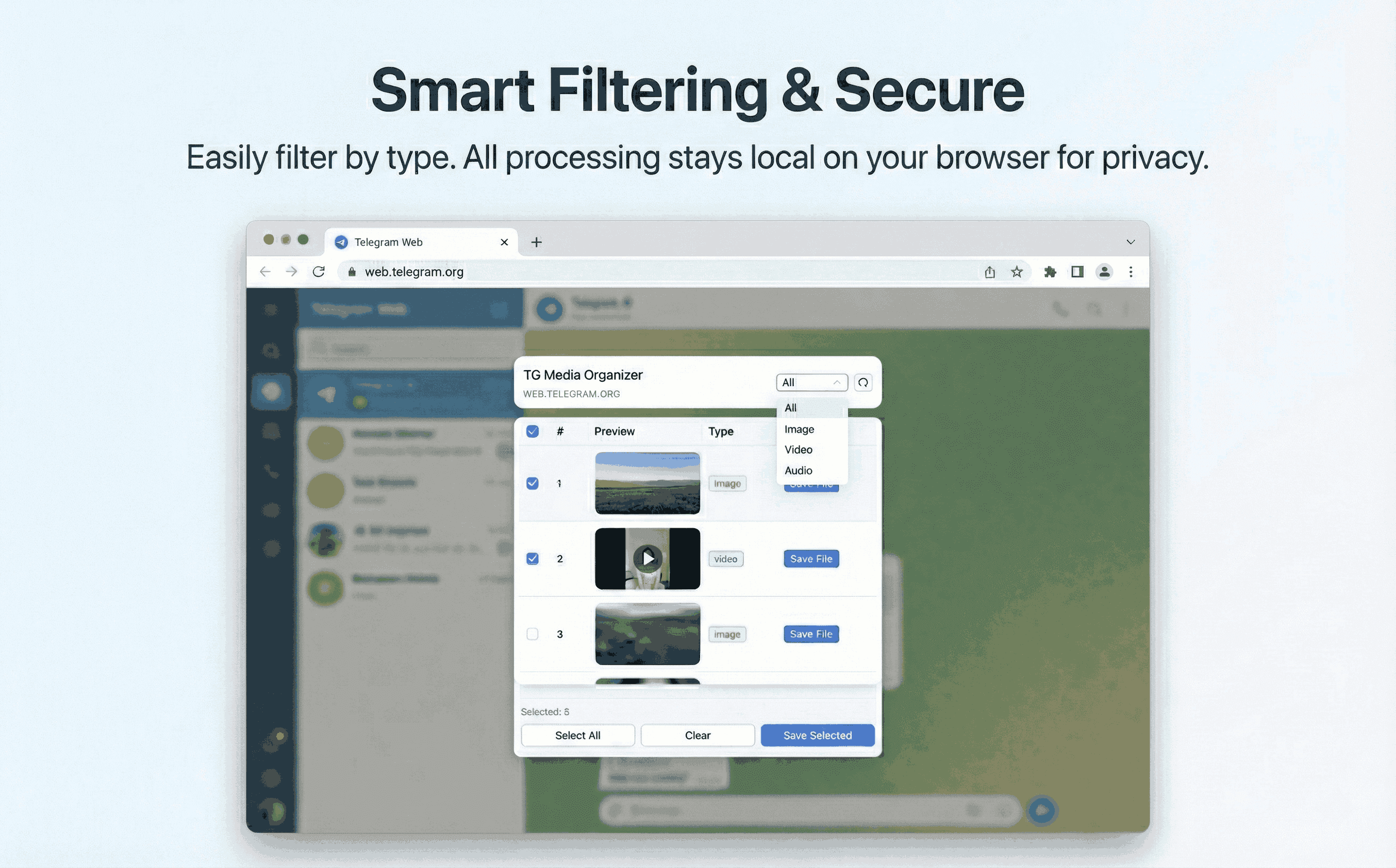
Why this happens
- •Private channels restrict downloads and make archiving difficult.
- •Sharing private content externally is risky and often prohibited.
- •Traditional downloaders can’t see gated content without unsafe logins.
- •Teams need traceability when handling sensitive media.
Why TG Media Organizer works better
- ✓Shows only the videos visible in your authenticated Telegram Web session.
- ✓Manual downloads reduce accidental sharing of sensitive content.
- ✓No credentials are sent to third-party servers.
- ✓Works alongside your existing privacy policies and access controls.
How it works
Follow the same three-step flow across any Telegram chat or channel you can access.
Step 1
Join or sign in to the private channel in Telegram Web.
Step 2
Open TG Media Organizer, filter to videos, and select approved items.
Step 3
Download locally for review, backup, or compliance—no auto-sharing.
Use cases
These scenarios come directly from how users manage Telegram media today. Stay compliant and manual—no automated scraping.
- •Internal comms teams archiving leadership updates from private groups.
- •Security teams capturing evidence from incident channels they manage.
- •Course creators saving student Q&A recordings shared in members-only spaces.
- •Families keeping travel videos private while storing them locally.
FAQ
No. It only works with content visible in your existing session. If you can’t view it, it won’t appear.
Follow your organization’s policies and only download media you’re authorized to handle. Keep a record of source channels when required.
No. Everything runs locally in your browser; files save directly to your machine.
Start organizing Telegram media you already can view
Install the Chrome extension, keep everything manual and transparent, and upgrade to Pro when you need higher limits.
- • Local processing—no uploads
- • Filter-first workflow for photos, videos, audio
- • Manual downloads with progress feedback
- • Built for channels and groups you can already view