Best way to download Telegram videos on iPhone? Use desktop Telegram Web
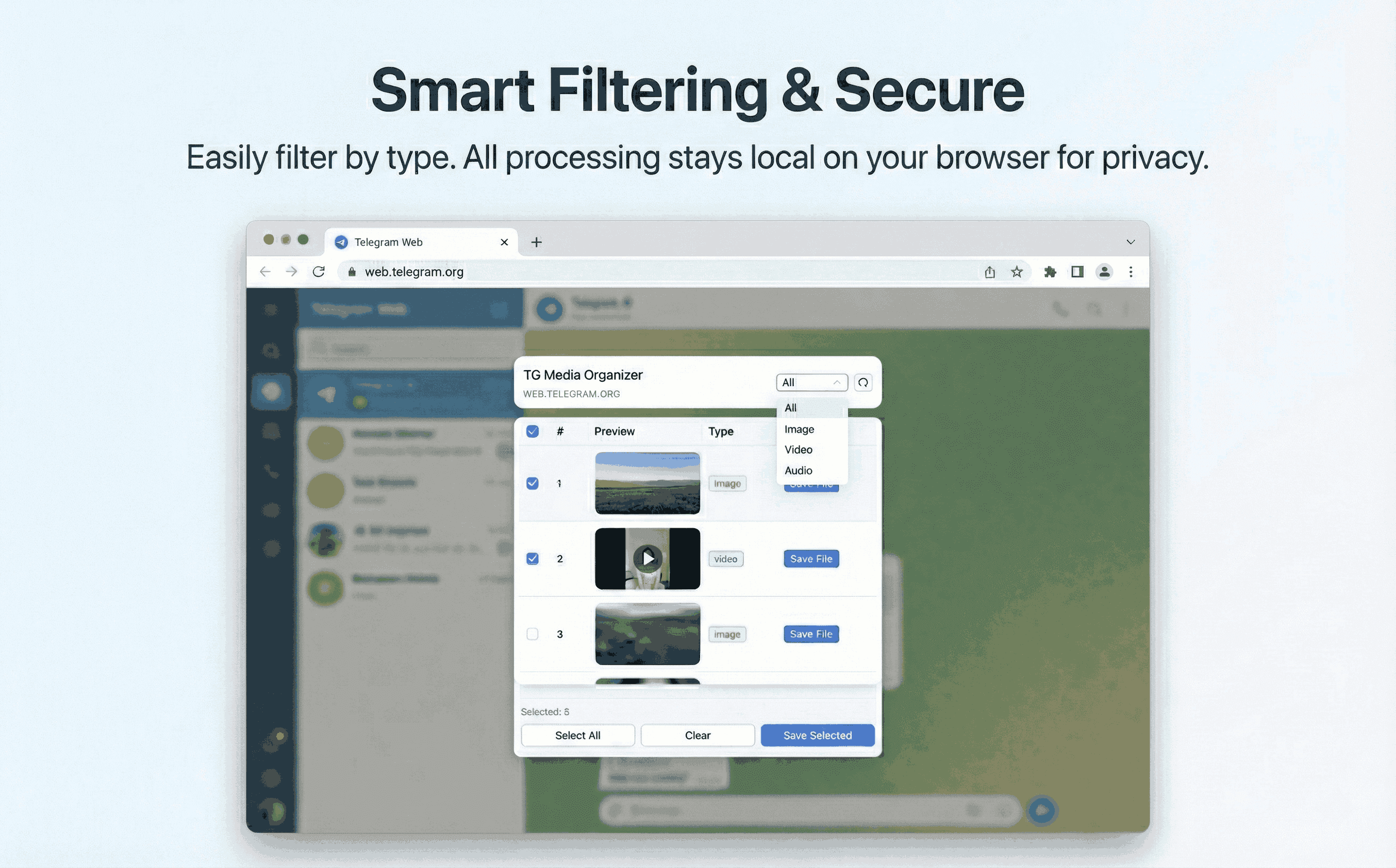
iOS limits background downloads. The reliable approach is to use Telegram Web on desktop with TG Media Organizer to save videos you can view, then move them to your iPhone.
Why this happens
- •iOS restricts background downloads and file access for Telegram.
- •Direct save-to-camera-roll is limited for large or multiple videos.
- •Mobile downloaders are slow and can drain battery.
- •Managing storage on iPhone is harder without desktop offload.
Why TG Media Organizer works better
- ✓Use a desktop browser to download cleanly, then AirDrop/Drive to iPhone.
- ✓Filter-first so you only transfer what you need.
- ✓Manual downloads to stay compliant with channel rules.
- ✓No risky mobile download sites or third-party logins.
How it works
Follow the same three-step flow across any Telegram chat or channel you can access.
Step 1
On desktop, open Telegram Web and sign in to the channel you can access.
Step 2
Open TG Media Organizer, filter videos, select, and download to desktop.
Step 3
Transfer to iPhone via AirDrop/Drive/Files app for offline viewing.
Use cases
These scenarios come directly from how users manage Telegram media today. Stay compliant and manual—no automated scraping.
- •iPhone users archiving family videos shared in Telegram channels.
- •Students moving course clips to iOS after desktop downloads.
- •Creators collecting inspiration on desktop, then editing on mobile.
- •Support teams backing up incident videos to desktop before sharing on iOS.
FAQ
Large or multiple downloads are unreliable on iOS. Desktop + Telegram Web is the stable approach, then transfer to iPhone.
Yes. We don’t ask for extra credentials. Downloads happen in your Telegram Web session on desktop.
No. Files save to your desktop; you control what gets transferred to your iPhone.
Start organizing Telegram media you already can view
Install the Chrome extension, keep everything manual and transparent, and upgrade to Pro when you need higher limits.
- • Local processing—no uploads
- • Filter-first workflow for photos, videos, audio
- • Manual downloads with progress feedback
- • Built for channels and groups you can already view