The Telegram Chrome extension built for safe media management
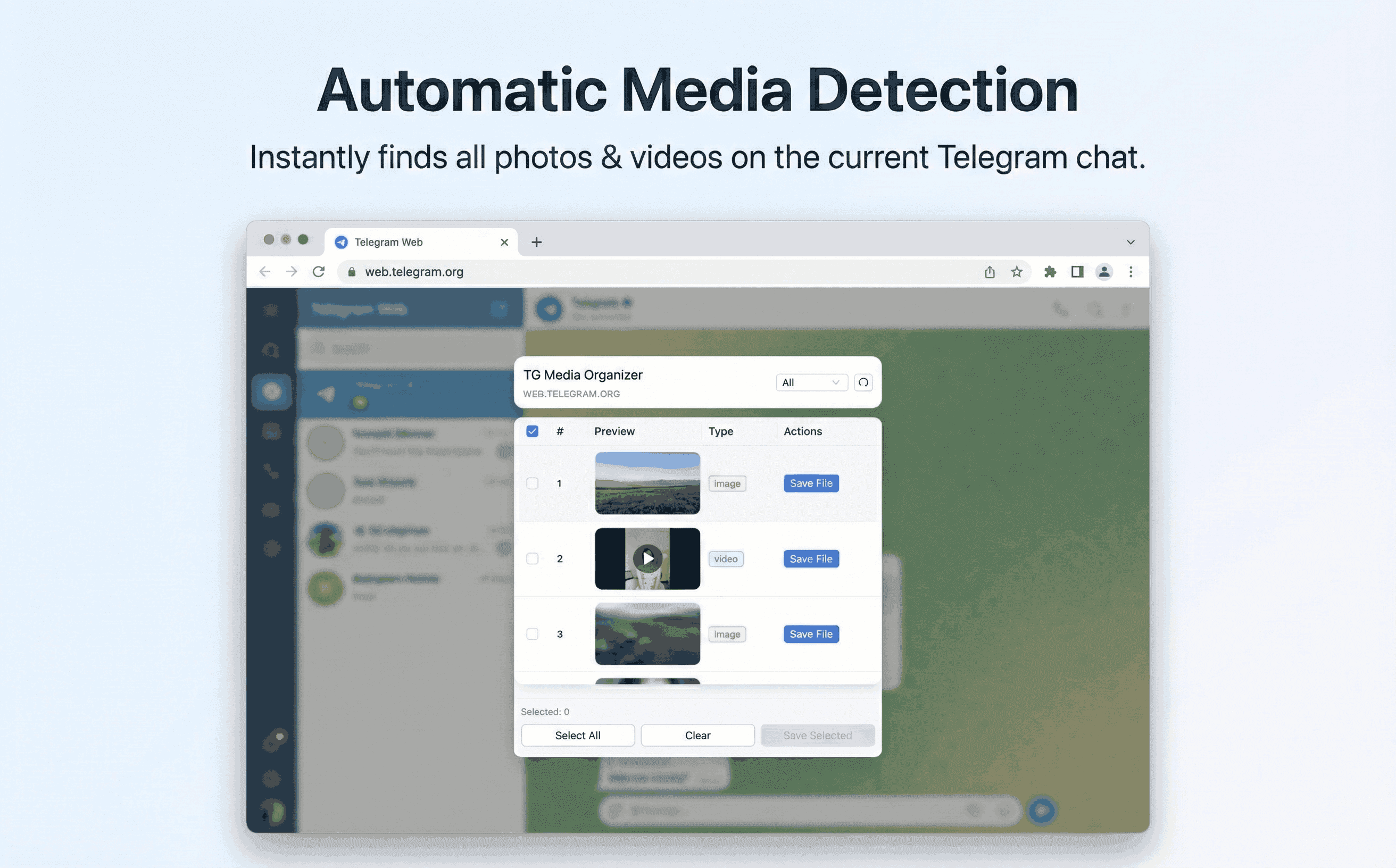
TG Media Organizer lives in Telegram Web. Filter photos, videos, and audio you already can view, then save them locally with one click.
Why this happens
- •Most extensions focus on messaging, not media organization.
- •Copy-pasting links into online tools is slow and risky.
- •Teams need a consistent, auditable way to save channel resources.
- •Manual scrolling wastes time when reviewing large channels.
Why TG Media Organizer works better
- ✓Chrome Web Store distribution—easy to install and update.
- ✓Designed for Telegram Web, not generic scraping.
- ✓Filter-first workflow so you download only what you intend to keep.
- ✓Supports photos, videos, and audio you can already view.
How it works
Follow the same three-step flow across any Telegram chat or channel you can access.
Step 1
Install the extension from the Chrome Web Store and pin it.
Step 2
Open Telegram Web, navigate to your channel or group, and click the extension icon.
Step 3
Filter by media type, review items, and download manually to stay in control.
Use cases
These scenarios come directly from how users manage Telegram media today. Stay compliant and manual—no automated scraping.
- •Content teams curating channel assets for repurposing.
- •Researchers collecting interview clips shared in private groups.
- •Support teams exporting evidence from chats they belong to.
- •Individuals backing up travel videos shared in family channels.
FAQ
No. It is purpose-built for web.telegram.org and uses only the access you already have there.
We intentionally keep actions manual to reduce risk. You pick the files; we handle transparent saving.
You can start free with daily limits. Upgrade to Pro for higher limits and faster workflows.
It runs lightweight DOM reads. Filtering large channels may take a moment, but no heavy background tasks run.
Start organizing Telegram media you already can view
Install the Chrome extension, keep everything manual and transparent, and upgrade to Pro when you need higher limits.
- • Local processing—no uploads
- • Filter-first workflow for photos, videos, audio
- • Manual downloads with progress feedback
- • Built for channels and groups you can already view