The Telegram media organizer built for Web workflows
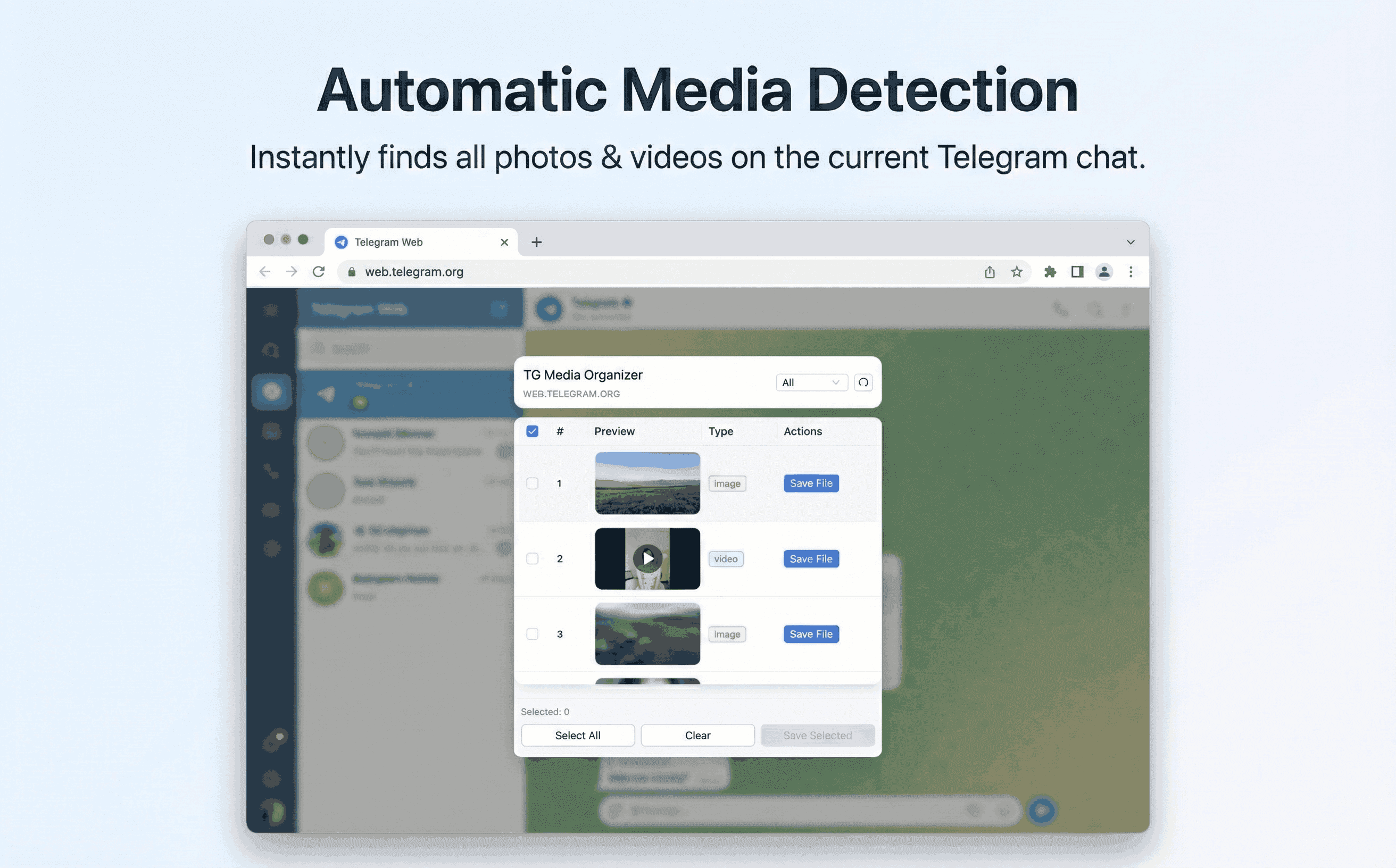
Stop scrolling endlessly. TG Media Organizer groups photos, videos, and audio you already can view, then lets you save only what you need.
Why this happens
- •Telegram Web mixes chats and media, making assets hard to find.
- •Manual scrolling wastes time for editors and researchers.
- •Other tools feel like black boxes with unclear data handling.
- •Teams need predictable workflows for audits and re-use.
Why TG Media Organizer works better
- ✓Media-first view with filters and quick summaries.
- ✓Manual selection to avoid unintended downloads.
- ✓Local processing ensures privacy and compliance.
- ✓Lightweight UI tuned for Telegram Web, not generic scraping.
How it works
Follow the same three-step flow across any Telegram chat or channel you can access.
Step 1
Open TG Media Organizer while viewing your Telegram channel or group.
Step 2
Filter by media type and review the organized list with thumbnails.
Step 3
Select and download items to your device; categorize locally afterward.
Use cases
These scenarios come directly from how users manage Telegram media today. Stay compliant and manual—no automated scraping.
- •Content strategists saving campaign assets from brand channels.
- •Moderators keeping a record of flagged media inside communities they manage.
- •Researchers gathering qualitative examples from public channels they follow.
- •Editors building B-roll libraries from channels they already belong to.
FAQ
No. It is an independent tool that runs on top of Telegram Web and respects existing permissions.
No. It only reads what’s rendered in your session and helps you save it locally when you choose.
You can share saved files or folder structures, but access is still governed by Telegram membership.
Start organizing Telegram media you already can view
Install the Chrome extension, keep everything manual and transparent, and upgrade to Pro when you need higher limits.
- • Local processing—no uploads
- • Filter-first workflow for photos, videos, audio
- • Manual downloads with progress feedback
- • Built for channels and groups you can already view