How to download Telegram channel videos without headaches
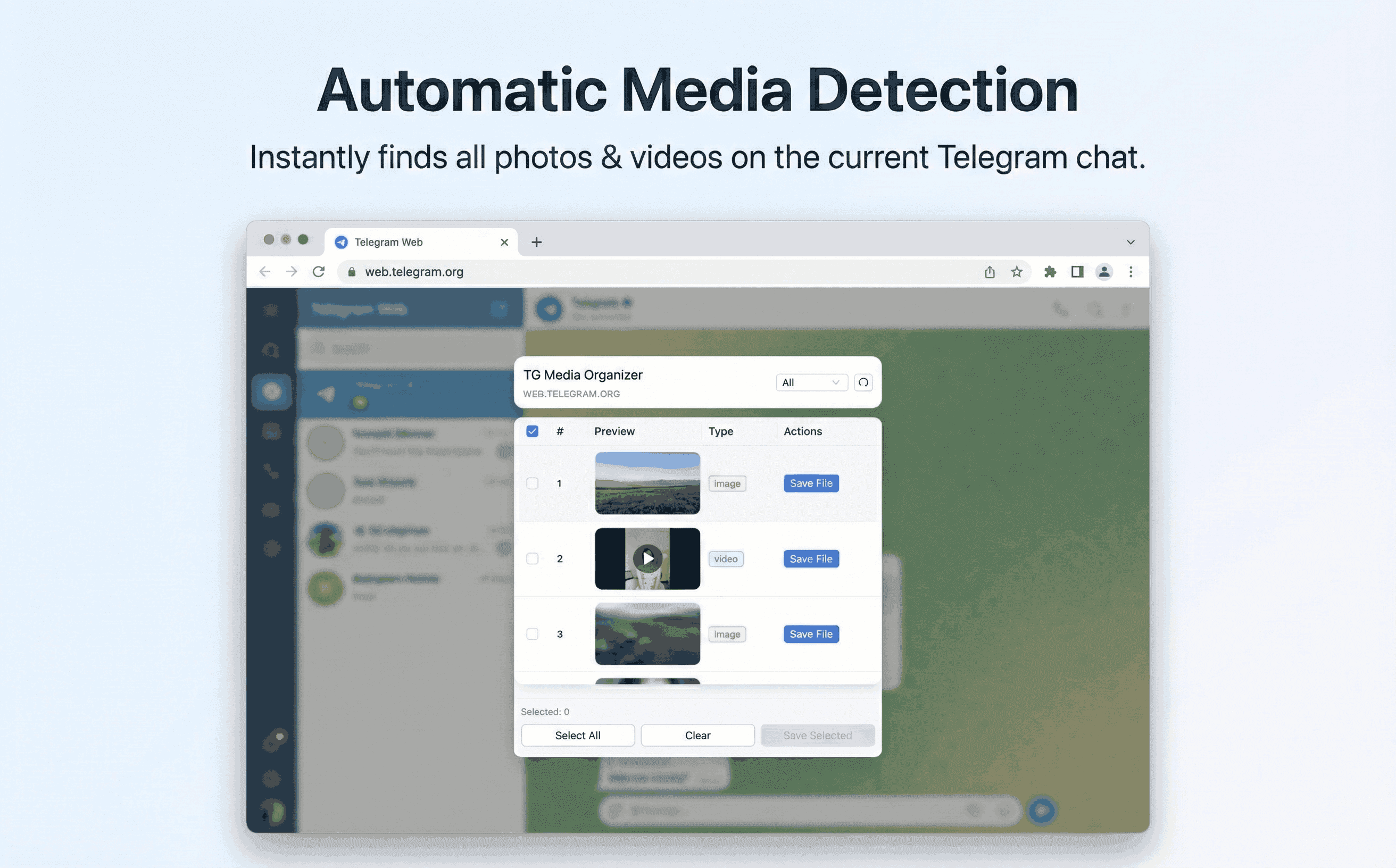
Telegram Web makes it hard to grab videos you can already watch. TG Media Organizer keeps everything manual, transparent, and local so you can filter, queue, and download what matters.
Why this happens
- •Channel owners can limit downloads in official apps.
- •Telegram Web does not offer a clean way to queue multiple videos.
- •Online downloaders feel risky and often fail on longer clips.
- •Switching between mobile and desktop breaks your workflow.
Why TG Media Organizer works better
- ✓Runs inside Telegram Web—no need to leave the tab you already use.
- ✓Lists videos you can already view and groups them for quick review.
- ✓Manual, click-to-save downloads with visible progress for large files.
- ✓Local-first: nothing is uploaded or scraped beyond what you already see.
How it works
Follow the same three-step flow across any Telegram chat or channel you can access.
Step 1
Open web.telegram.org and navigate to the channel or chat you can already access.
Step 2
Launch TG Media Organizer: filter by video, pick the clips you need, and confirm selections.
Step 3
Download directly to your device with progress feedback; stay on the same Telegram tab.
Use cases
These scenarios come directly from how users manage Telegram media today. Stay compliant and manual—no automated scraping.
- •Batch-save channel lessons or webinars you already watched.
- •Keep an offline archive of event recordings shared in groups you belong to.
- •Collect reference clips for editing without scrolling back through months of chat history.
- •Move large videos to local storage before they get buried by new posts.
FAQ
No. It only lists and downloads videos you can already view on Telegram Web. It does not bypass access controls.
Yes. All scanning and downloading happen in your browser. There is no server-side scraping or credential sharing.
Yes. Long clips are supported, and you’ll see progress as files are saved locally. A stable connection is still recommended.
No. It only lets you organize and save media you already can view, following Telegram’s existing permissions.
Start organizing Telegram media you already can view
Install the Chrome extension, keep everything manual and transparent, and upgrade to Pro when you need higher limits.
- • Local processing—no uploads
- • Filter-first workflow for photos, videos, audio
- • Manual downloads with progress feedback
- • Built for channels and groups you can already view