Telegram Web download not working? Here’s the safe fix
When Telegram Web stalls or hides downloads, use TG Media Organizer to surface the media you already can see, then save it locally without risky workarounds.
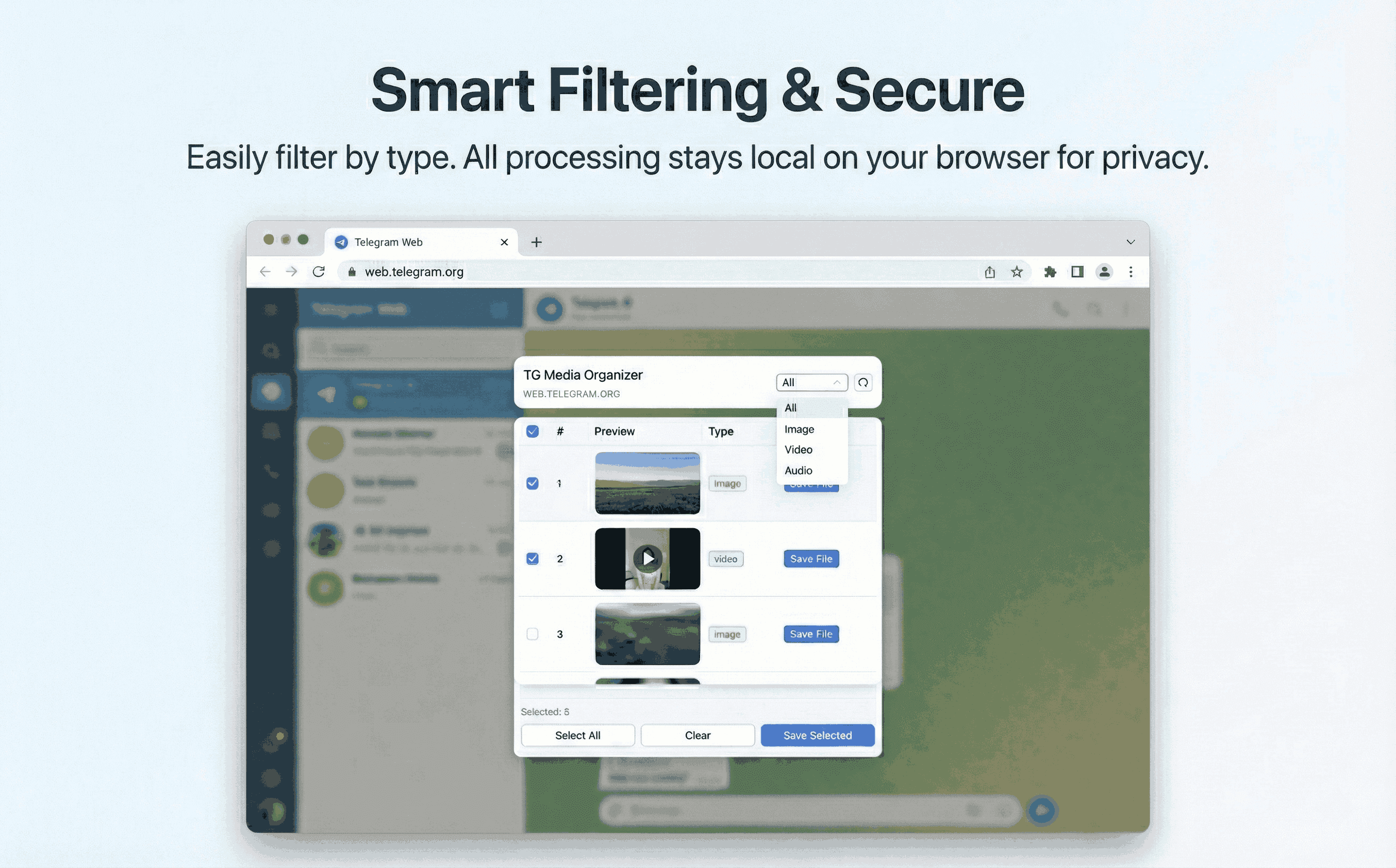
Why this happens
- •Native Telegram Web downloads can stall or get rate-limited.
- •Switching to mobile just to save files breaks focus.
- •Copying links into unknown sites risks credentials and malware.
- •Bulk export is missing when you need multiple files at once.
Why TG Media Organizer works better
- ✓Runs inside Telegram Web—no context switching.
- ✓Filters let you narrow to exactly what matters before downloading.
- ✓Manual flow avoids unexpected bandwidth spikes or policy flags.
- ✓Progress feedback keeps long downloads transparent.
How it works
Follow the same three-step flow across any Telegram chat or channel you can access.
Step 1
Refresh Telegram Web and open TG Media Organizer inside your current chat.
Step 2
Filter to the media type giving you trouble—video, photo, or audio.
Step 3
Select and download locally, keeping an eye on progress for large sets.
Use cases
These scenarios come directly from how users manage Telegram media today. Stay compliant and manual—no automated scraping.
- •Remote teams pulling assets from brand channels during launches.
- •Journalists collecting on-the-record media from public channels.
- •Product support saving reproduction videos from customer groups.
- •Students exporting study materials shared in class channels.
FAQ
It can’t override Telegram outages, but it gives you a reliable, manual export path for media you can view.
No. It works within your existing Telegram Web session.
You can select many items, but we encourage intentional choices to stay compliant and avoid bandwidth waste.
Start organizing Telegram media you already can view
Install the Chrome extension, keep everything manual and transparent, and upgrade to Pro when you need higher limits.
- • Local processing—no uploads
- • Filter-first workflow for photos, videos, audio
- • Manual downloads with progress feedback
- • Built for channels and groups you can already view